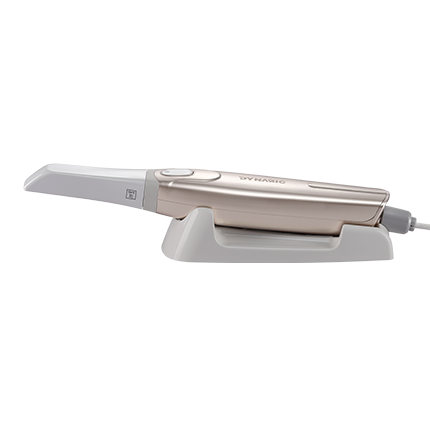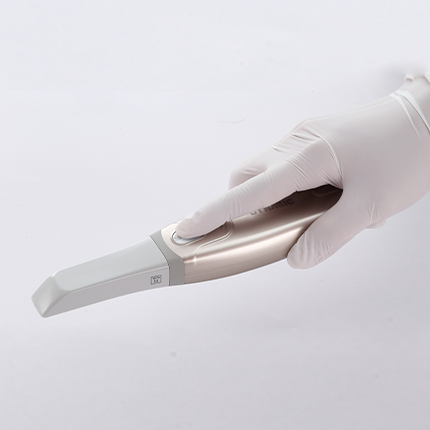
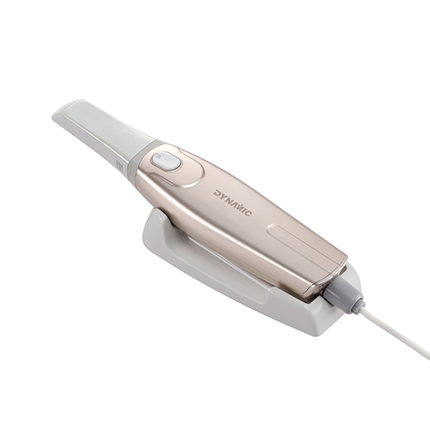
Basic entry-level model intraoral scanner
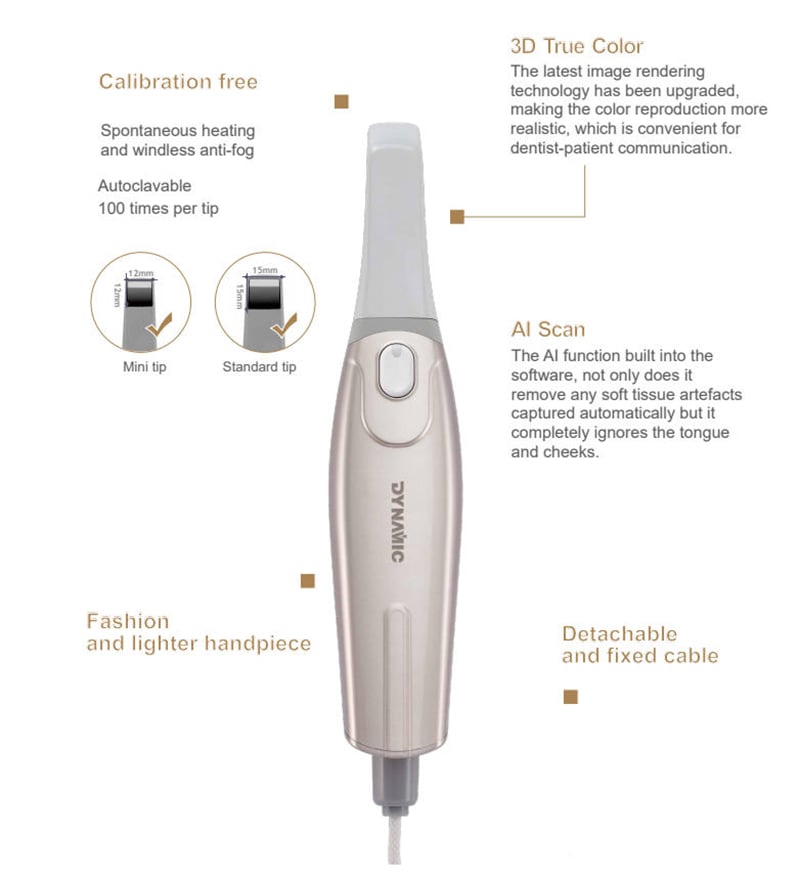
-Fast
-Simply operation
-AI scan
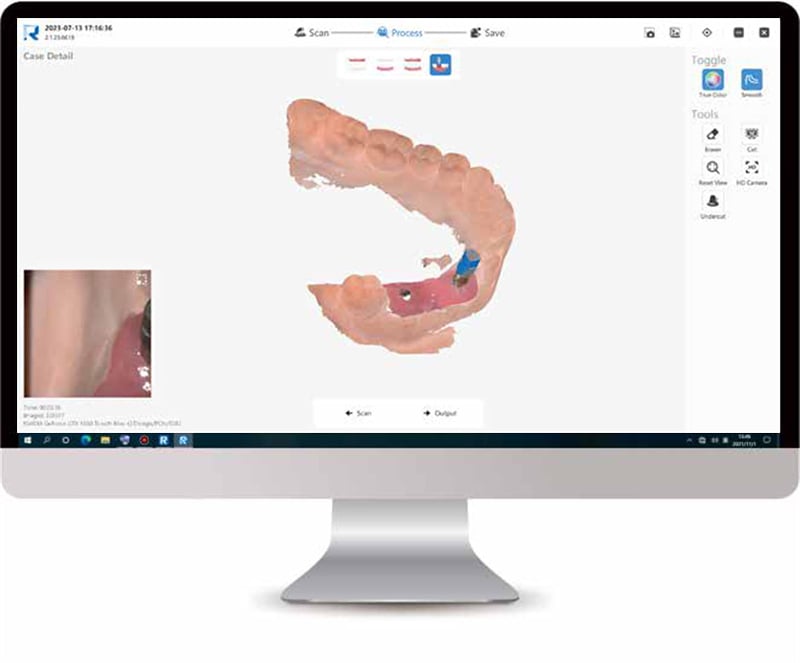
01 Scan Body Matching
3 steps to empower clinical implant cases
01 Scan the upper and lower jaw
02 Import implant data from our database(enables to DIY registration)
03 Scanning scan body and matching
With scan body matching function, Ensuring the integrity andaccuracy of scan body data, and no need to scan repeatedly,saving scanning time and improving the efficiency.
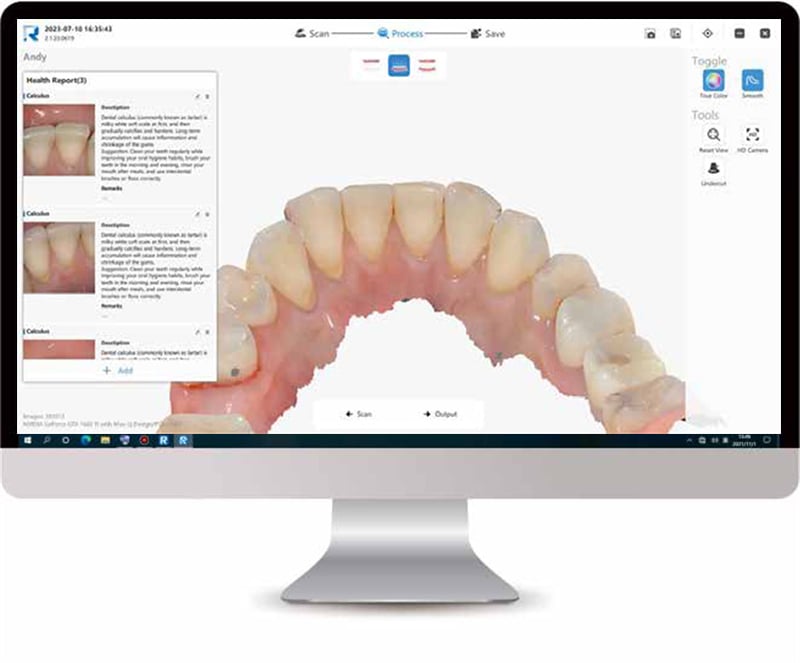
02 Health Report
In the health report mode, after scanning the oral data, the system can automatically identify lesions such as dental caries, dental calculus, and dental plaque, and generate a health report with just one click.
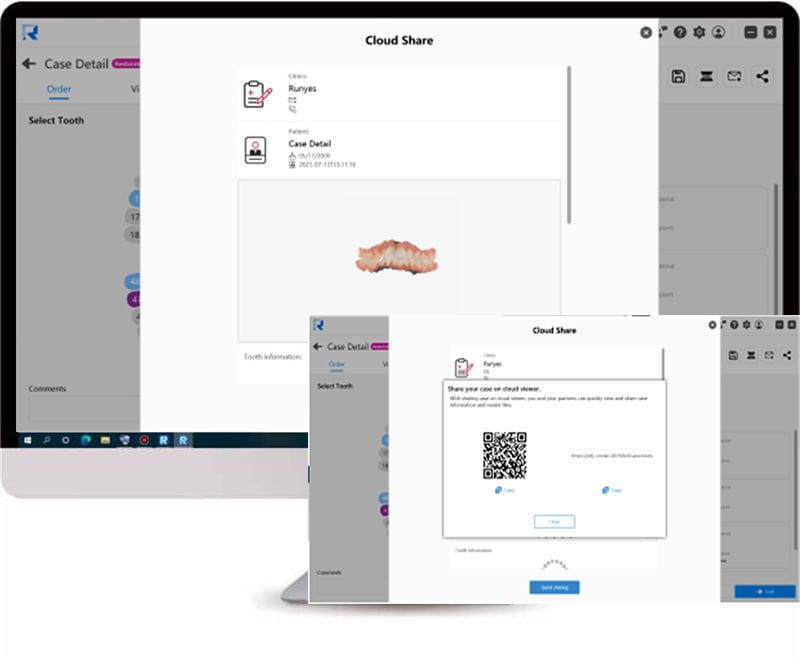
03 Cloud Sharing
It will generate QR codes and links to tranfer thedata in software. Cloud sharing makescommunication easier for clinics to collaboratewith dental labs and Cloud sharing serviceensures data security and reliability.
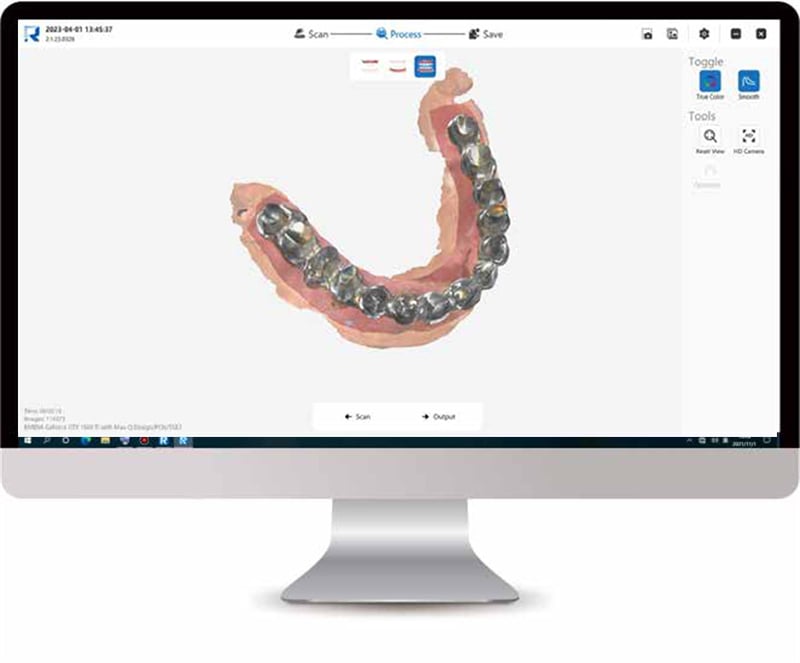
04 Metal Scan
Key optimizations have been made for thedifficulty of noises and reflecting during metalscanning. Optimized metal scan tools can helpdentists scan all kinds of metal materials easier.
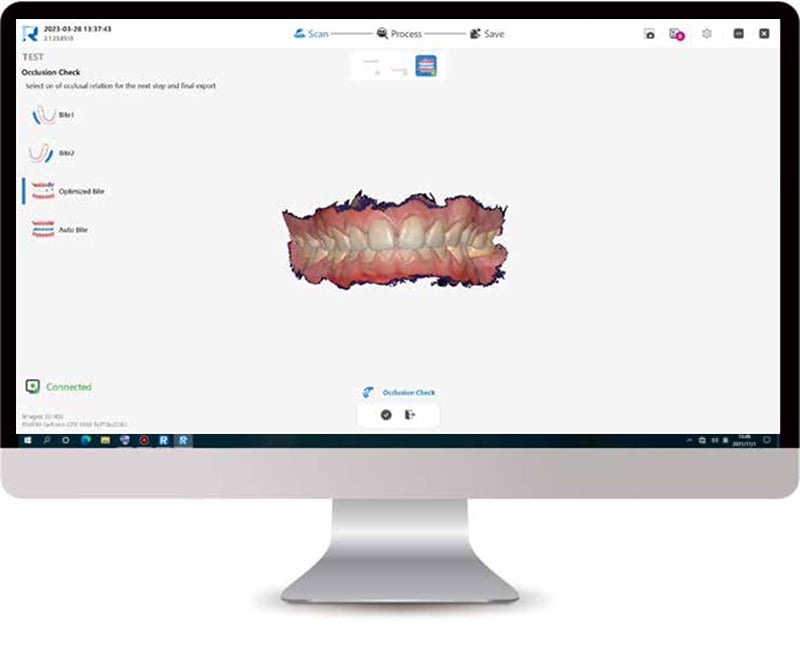
05 Occlusion Check
Dentists will check whether the occlusionrelationship between the upper and lower jawsis accurate or not with this function.
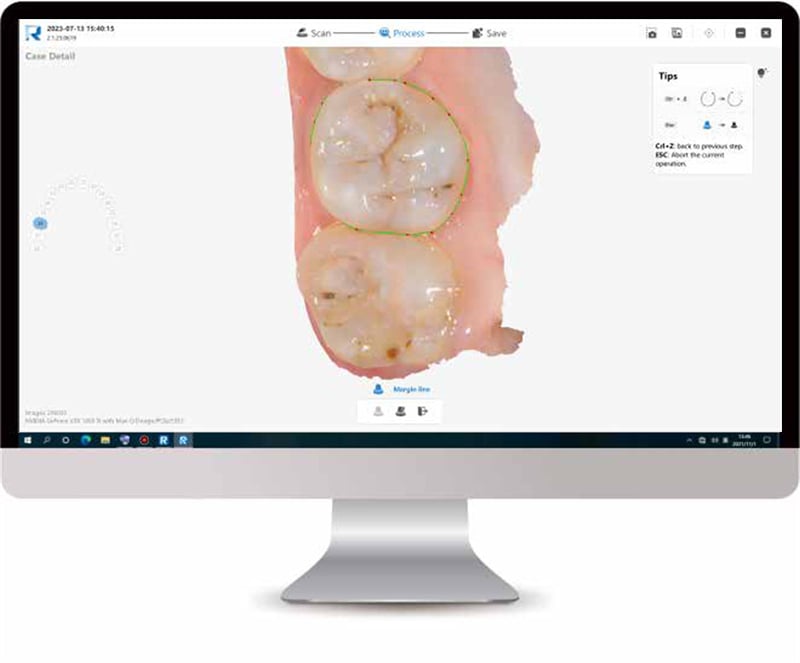
06 Margin Line Drawing
The margin Line tool can help dentists todraw a margin line on the scan data andexport it to a proprietary format. The markedmargin line data can be imported to designsoftware such as EXOCAD.
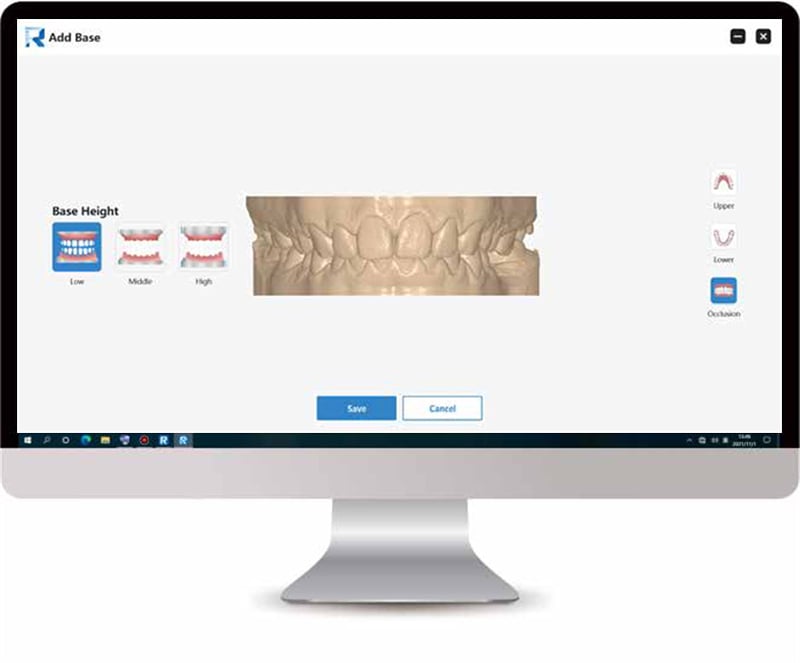
07 Model Builder
The add Base tool can help dentistsgenerate model files that can be directlyused for printing with one click.
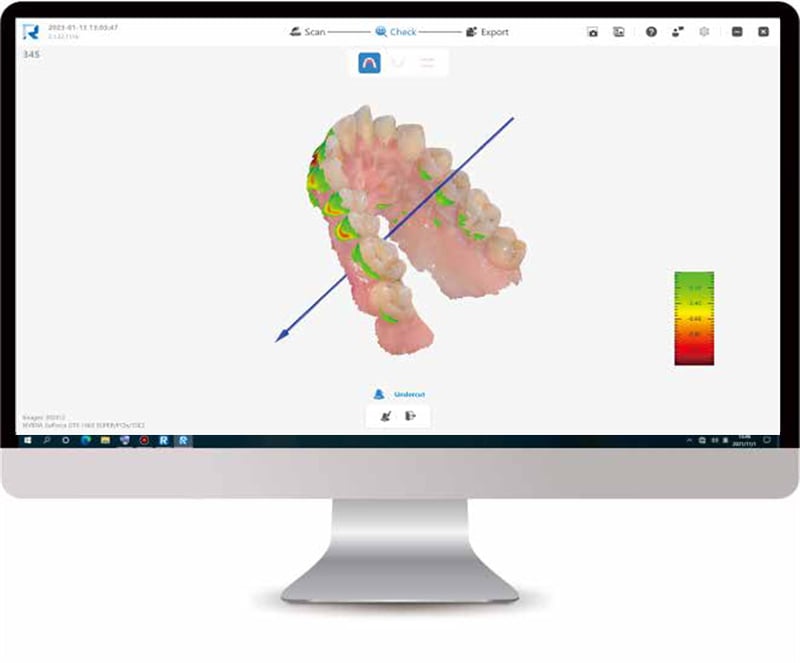
08 Undercut Inspection
It will help dentists to check whether there isundercut in the prepared tooth area, so asto prevent the crown from being unable tobe processed, or there is an excessive gapbetween the crown and the prepared tooth.
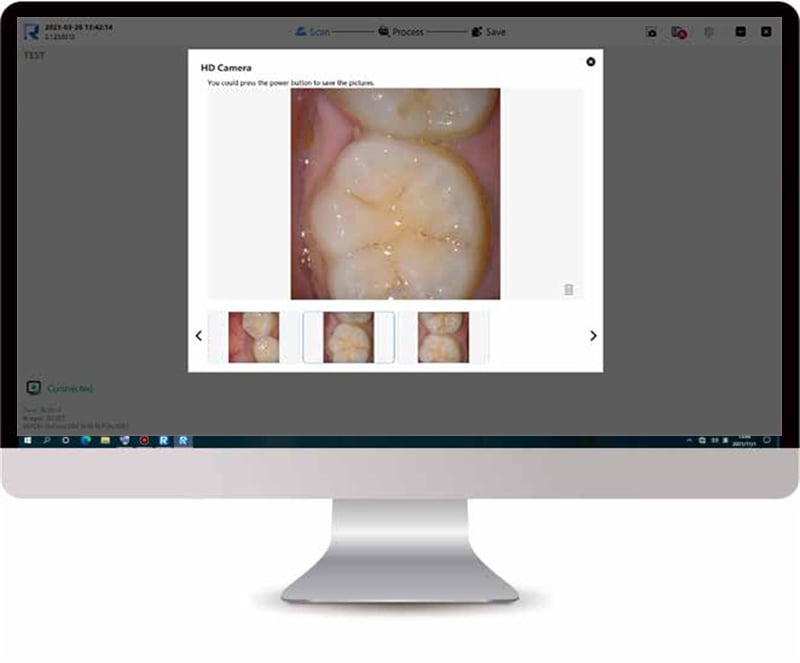
09 HD Camera
Dentists can use the camera to take oral picturesduring scanning; high-resolution photos can be usedas case attachments and saved in the reports.
10 Scanning Lock
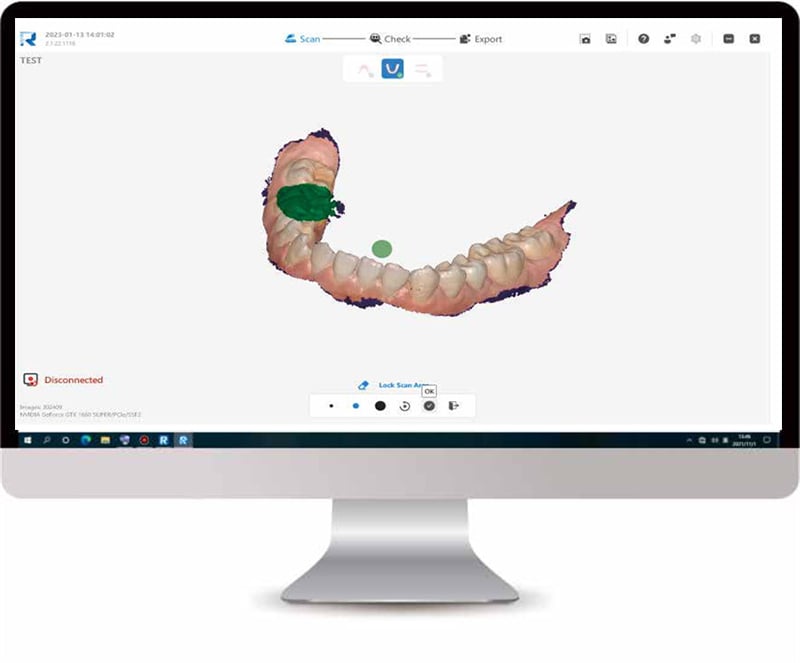
Area Lock
With Lock scan area function, dentists canselect some ideal areas of the scanned datato lock, so that the data in this part of thelocked area will not be changed during therescan process.
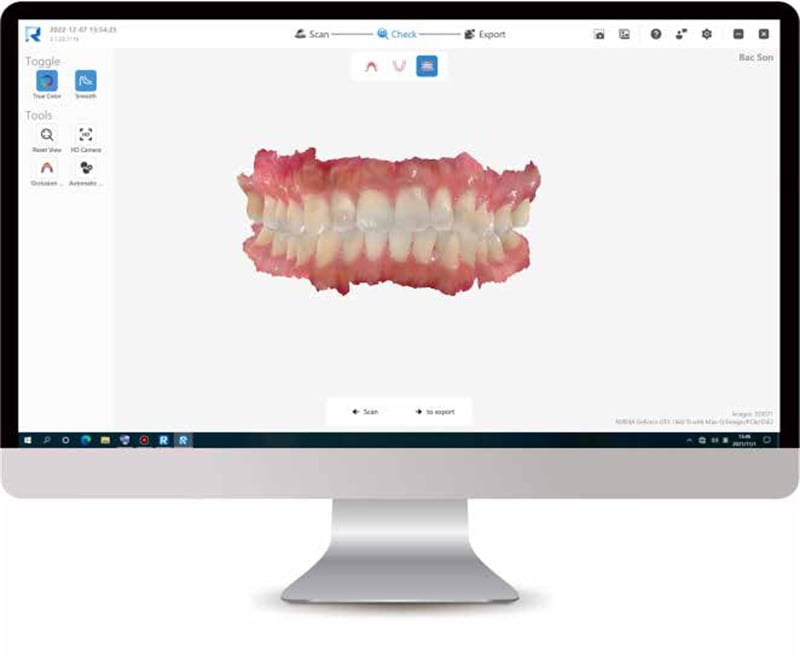
View Lock
Turn "Lock the scan view" on, a small grayscanner tip will appear on the interface during thescanning process. Through this scanner tip,dentists can clearly judge whether the missingdata has been rescanned.
Specifications
| Handpiece | Dimension | 240x49.5x30.5mm |
| Weight | 210g | |
| Tip | Standard tip size | 79x19.7x15.8mm |
| Mini tip size | 80x16x11mm | |
| Scan area (Standard) | 15x15mm | |
| Scan area (Mini) | 12x12mm | |
| Depth of field | 15mm | |
| Autoclavable | Up to 100 fimes Autodarable 121'C16 minsl Autodavable 134'C 4 mins | |
| Accuracy | Crown | <10μm |
| Full arch | <20μm | |
| Scan Speed | Single arch | 30s |
| Full arch with occlusion | 90s | |
| Calibration | Calibration free | |
| Output | STL, OBJ,PLY | |
| Connectiity | USB3.0 | |
| Multilingual System | Chinese,English,French, Spanish, Russian, Portuguese,Italian,Greek, Polish, Romanian, Japanese and Korean. | |
Recommended Configuration
| Category | Laptop | Desktop |
| CPU | Intel Core i7-11700H | Intel Core i7-11700 |
| RAM | 16GB or higher | |
| Graphic Card(GPU) | NVIDIA GeForce 3060 or aboveAbove 6G memory(Not supporting AMD graphics cards) | |
| Hard Disk Drive | 256GB SSD or above | |
| Display Resolution | 1920x1080,60Hz | |
| System | Windows 10/11 pro/corporate edition(64-bit) | |
| V/O port | USB 3.0(or higher) port | |
| Power Consumption | 25V/A | |



 EN
EN
 AR
AR NL
NL FR
FR DE
DE EL
EL HI
HI IT
IT PL
PL PT
PT RO
RO RU
RU ES
ES IW
IW ID
ID VI
VI TH
TH TR
TR FA
FA